
Suggested Tools For You 👇
Amazon Shipping Label Cropper
Crop Amazon shipping labels into perfect 4×6 size instantly. 100% Free, No Uploads, No Login with AI SKU extractor. Download print-ready PDFs in seconds!
The Amazon Shipping Label Cropper is a fast, intelligent online AI tool that automatically detects and extracts Clean SKU, printable shipping labels from Amazon PDF documents.
It instantly converts your Amazon PDF into a perfect 4×6 thermal-printer-ready label — fully client-side, secure, and extremely fast.
If you also sell on Meesho or Flipkart, you can try our :-
👉 Flipkart Shipping Label Cropper – Click Me
👉 Meesho Shipping Label Cropper – Click Me
How to Use Amazon Shipping Label Cropper?
- ✔️ Click “Upload PDF” and select your Amazon-generated shipping label PDF.
- ✔️ The tool automatically detects the shipping label & Extract SKU From Invoice & Print It On Label , trims blank areas, and removes invoice or unnecessary sections.
- ✔️ Download the final clean 4×6 thermal label, ready for TSC, Zebra, and other shipping label printers.
🤖 Smart AI: Auto-Detect Amazon SKU & Flawless Barcode Scanning
When searching for a reliable Amazon shipping label cropper, precision and speed are everything for e-commerce sellers. Our free online tool goes beyond basic resizing by utilizing smart AI to intelligently analyze and process your seller documents.
- Smart SKU Detection: The moment you upload your PDF, our system will instantly auto-detect Amazon SKU details and vital order information, ensuring perfect package identification.
- Thermal-Printer Optimized: We automatically crop Amazon shipping labels into the exact 4×6 format, keeping all barcodes, QR codes, and text ultra-sharp for lightning-fast scanning on any thermal printer (Zebra, Rollo, DYMO, etc.).
- Error-Free Dispatch: By maintaining crystal-clear label quality and seamlessly extracting correct order data, sellers can process multi-page bulk shipments effortlessly without the fear of mismatched packages.
🪶Features of Amazon Shipping Label Cropper
- 100% Free & No Registration Required: No logins, no sign-ups, and no hidden subscriptions. Just open the page and get to work.
- Bulk Processing Support: The days of cropping labels one by one are gone, Boss! You can upload multiple labels simultaneously and process them in one go.
- Perfect 4×6 Thermal Fit: The tool automatically converts and scales your PDF into the standard 4×6 inch format, which is the gold standard for thermal printers.
- High-Quality Output: Your barcodes and text won’t become pixelated or blurry. Scanners will easily read them on the very first try.
- 100% Safe & Secure: Your data privacy is our priority. Your files are not stored on our servers; all processing is handled securely.
Compatibility Table
| Amazon PDF Labels | ✔ Supported |
| Multi-Page Orders | ✔ Supported |
| Thermal Printers (TSC / Zebra) | ✔ Supported |
| Invoice Removal | AI-Detected |
| SKU Extraction | AI-Detected |
| Supported Browsers | Chrome, Safari, Firefox, Edge |
🤔Frequently Asked Questions (FAQs)
Yes. The tool is designed to detect multiple Amazon shipping label formats, including single-page and multi-page PDFs.
Strictly No. As Per Our Policy, All processing happens locally in your browser, We Ensure Your complete privacy and security.
Absolutely. The tool generates a clean 4×6 label ideal for TSC, Zebra, and all common thermal printers.
Yes. The tool supports multi-page PDFs and automatically extracts each label correctly.
Yes, it works on mobile, tablet, laptop, and desktop without any installation.
Yes, it is completely free with no hidden charges.
If you also handle orders on other marketplaces, explore our :-
Meesho Shipping Label Cropper (https://webtoolsdeck.com/meeshocrop) &
Flipkart Shipping Label Cropper (https://webtoolsdeck.com/Flipkartcropper)
to process all your labels with one platform.
Amazon Shipping Label Cropper User Interface
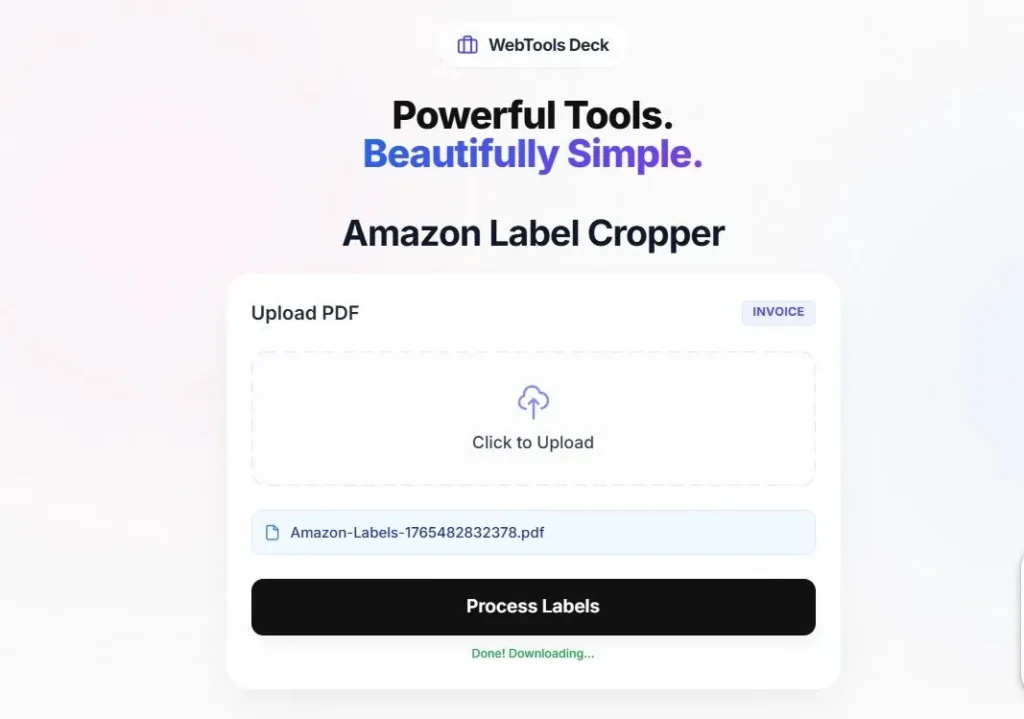
Step-by-Step Guide to Crop Amazon Labels
Whether you use Amazon Easy Ship or Self Ship, getting the right label dimensions is crucial for carrier scanning. WebTools Deck AI-Powered Amazon Shipping Label Cropper provides a seamless way to extract high-quality labels from your Amazon Seller Central PDFs.
- Precision Cropping: Our AI-Powered tool ensures that barcodes and QR codes remain sharp and scannable.
- Data Safety: We follow a strict No Upload protocol. Your PDFs are processed locally in your browser session.
- 100% Free And Secure: No watermarks, no limits—just a fast and reliable tool for Amazon sellers.
Instruction to Use:
- Upload Your Labels PDF from your Amazon Seller account.
- WebTools Deck AI-Powered Amazon Shipping Label Cropper will automatically crop your label and you can easily download and print.
- Select the 4×6 or A4 layout according to your printer settings.