
Powerful Tools.
Beautifully Simple.
Amazon Label Cropper
Upload PDF
InvoiceSuggested Tools For You 👇
Amazon Shipping Label Cropper
The Amazon Shipping Label Cropper is a fast, intelligent online AI tool that automatically detects and extracts Clean SKU, printable shipping labels from Amazon PDF documents.
It instantly converts your Amazon PDF into a perfect 4×6 thermal-printer-ready label — fully client-side, secure, and extremely fast.
If you also sell on Meesho or Flipkart, you can try our :-
👉 Flipkart Shipping Label Cropper – Click Me
👉 Meesho Shipping Label Cropper – Click Me
How to Use Amazon Shipping Label Cropper ?
- ✔️ Click “Upload PDF” and select your Amazon-generated shipping label PDF.
- ✔️ The tool automatically detects the shipping label & Extract SKU From Invoice & Print It On Label , trims blank areas, and removes invoice or unnecessary sections.
- ✔️ Download the final clean 4×6 thermal label, ready for TSC, Zebra, and other shipping label printers.
🪶Features of Amazon Shipping Label Cropper
- ⚡ Lightning-fast Amazon label processing
- 🧠 Smart AI auto-detection of label area
- 🚛 Extract SKU From Invoice & Print It On Label
- 🔒 Privacy-first — no uploads, all processing inside browser
- 🖨 Thermal Printer Optimized (4×6 format)
- 📄 Supports bulk / multi-page Amazon PDFs
- 🎯 No login, no installation, no watermark
- 💯 100% free for all Amazon sellers
Compatibility Table
| Amazon PDF Labels | ✔ Supported |
| Multi-Page Orders | ✔ Supported |
| Thermal Printers (TSC / Zebra) | ✔ Supported |
| Invoice Removal | AI-Detected |
| SKU Extraction | AI-Detected |
| Supported Browsers | Chrome, Safari, Firefox, Edge |
🤔Frequently Asked Questions (FAQs)
Yes. The tool is designed to detect multiple Amazon shipping label formats, including single-page and multi-page PDFs.
Strictly No. As Per Our Policy, All processing happens locally in your browser, We Ensure Your complete privacy and security.
Absolutely. The tool generates a clean 4×6 label ideal for TSC, Zebra, and all common thermal printers.
Yes. The tool supports multi-page PDFs and automatically extracts each label correctly.
Yes, it works on mobile, tablet, laptop, and desktop without any installation.
Yes, it is completely free with no hidden charges.
If you also handle orders on other marketplaces, explore our :-
Meesho Shipping Label Cropper (https://webtoolsdeck.com/meeshocrop) &
Flipkart Shipping Label Cropper (https://webtoolsdeck.com/Flipkartcropper)
to process all your labels with one platform.
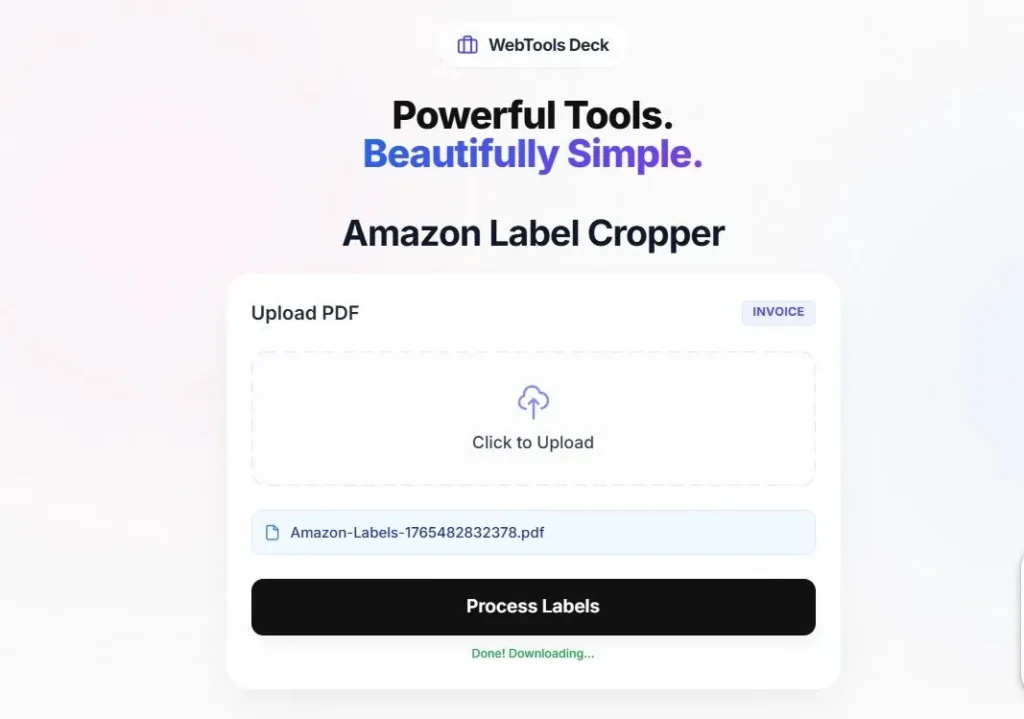
Amazon Shipping Label Cropper User Interface
How To Crop Amazon Labels ?
Whether you use Amazon Easy Ship or Self Ship, getting the right label dimensions is crucial for carrier scanning. WebTools Deck AI-Powered Amazon Shipping Label Cropper provides a seamless way to extract high-quality labels from your Amazon Seller Central PDFs.
- Precision Cropping: Our AI-Powered tool ensures that barcodes and QR codes remain sharp and scannable.
- Data Safety: We follow a strict No Upload protocol. Your PDFs are processed locally in your browser session.
- 100% Free And Secure: No watermarks, no limits—just a fast and reliable tool for Amazon sellers.
Instruction to use:
- Upload Your Labels PDF from your Amazon Seller account.
- WebTools Deck AI-Powered Amazon Shipping Label Cropper will automatically crop your label and you can easily download and print.
- Select the 4×6 or A4 layout according to your printer settings.