Make Passport Size Photo
Welcome to WebTools Deck – Your Reliable Solution for Passport Size Images!
Click to Upload Photo
Supports JPG, PNG or WEBP (Max 10MB)
✨ Your image is being processed with High Definition quality.
WebTools Deck Quality
Professional Passport Photo Cropper – Create Ad-Ready Photos Instantly
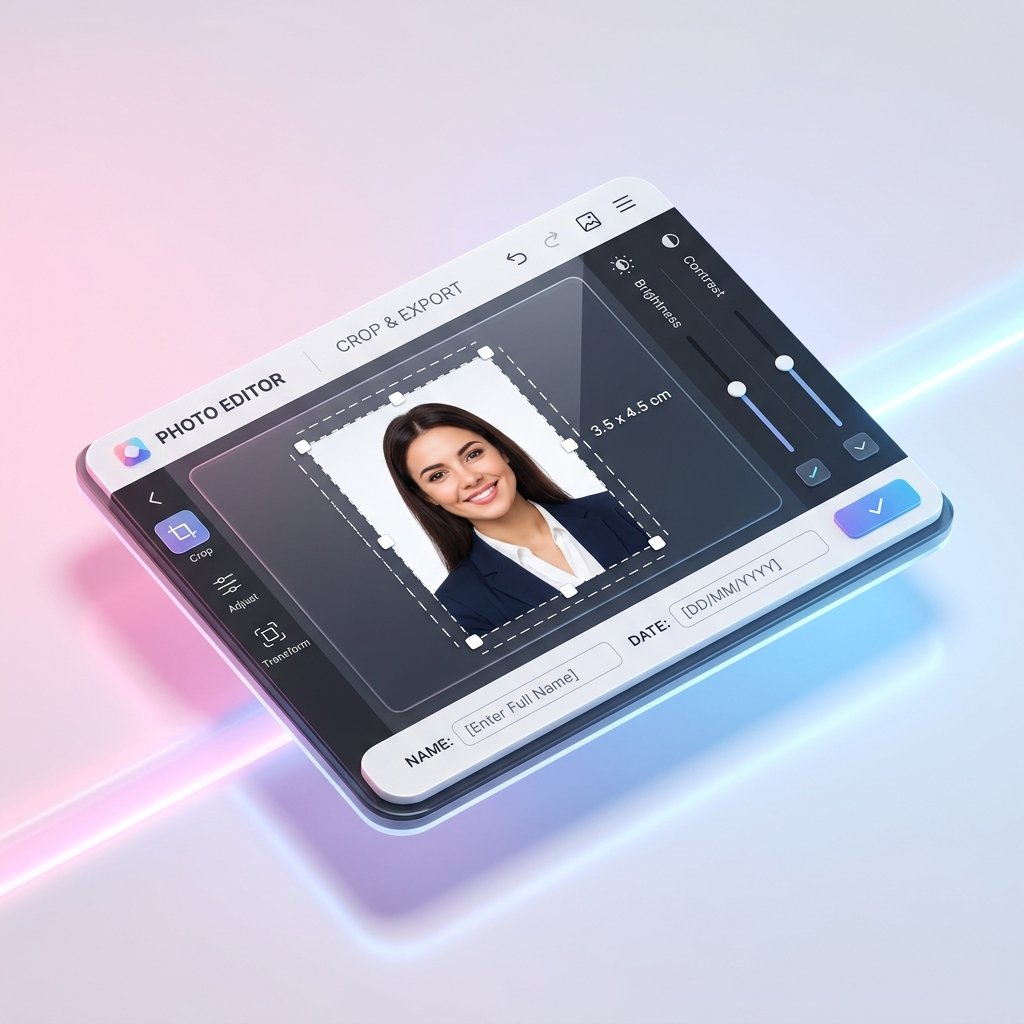
Struggling to meet the strict photo requirements for your online applications? WebTools Deck introduces the ultimate Passport Photo Cropper Online. Our tool is specifically engineered to help you prepare high-quality passport-sized photos that meet the exact specifications of recruitment boards and passport offices worldwide. Stop using complex editing software; create your professional photo in seconds with our AI-assisted precision editor.
Why This Tool is Perfect for Government Job Applicants
Most Indian government portals (like SSC, UPSC, IBPS, and Railways) require your photo to have your Full Name and the Date of the Photo printed on a white background at the bottom.
- Instant Labels: Our tool allows you to toggle a name and date bar instantly.
- Size Compliance: Crop your photo to the standard 3.5 x 4.5 cm (India) or any custom ratio required by the portal.
- File Weight Control: Combine this with our compression tools to keep your file under the strict 20KB to 50KB limit.
More Must Try Tools
- Bulk Compress to 20KB – This tool is specifically engineered to meet the ultra-low size limits of government and bank portals.
- Image Resizer Online – This utility is perfect for scaling images to exact pixel dimensions for social media and official forms.
- Bulk Compress to 50KB – Ideal for optimizing high-resolution document scans for email and web forms.
- JPG to WebP Converter – Modernize your image files to improve loading speed for your personal blog or portfolio.
- PDF to JPG Converter – This tool provides precision extraction of document pages into high-fidelity image files.
Key Features: Beyond Simple Cropping
- AI Enhancement Tools: Adjust Brightness and Contrast directly in the browser to ensure your face is clearly visible and meets biometric standards.
- Transform Options: Rotate or flip your images horizontally to fix camera-mirroring issues instantly.
- Live Result Preview: See exactly how your final photo will look—including the name/date label—before you even hit the download button.
- Zero-Trace Privacy: Your personal photos and details are processed locally. We use SSL encryption and never store your images on our servers.
International & India Passport Size Presets
| Country/Use Case | Required Dimensions | Purpose |
| India (Standard) | 3.5 x 4.5 cm | Govt Jobs, Pan Card, Passport |
| USA / Visa | 2 x 2 inches | US Visa & Immigration |
| UK / Europe | 35 x 45 mm | European Standard Passports |
| Custom 4:6 | 4 x 6 Ratio | Portfolio & Printing |
Step-by-Step: How to Use the Passport Photo Maker
- Upload: Drag and drop your original photo into the editor.
- Select Preset: Choose your target size (e.g., India 3.5×4.5cm).
- Personalize: Enable the “Add Label” toggle to enter your Name and Date.
- Enhance: Use the Brightness/Contrast sliders to make your face clear and sharp.
- Download: Click “Download Final Photo” to save your high-resolution, print-ready PNG.
Frequently Asked Questions (FAQs)
Yes, Our tool is designed exactly for these requirements, allowing you to add the mandatory name and date label easily.
Yes, Sir. We have included presets for all major international units, ensuring you meet any country’s specific standards.
Currently, this tool focus on cropping and labeling. If You Want Background Removal Tool. Click “Report An Issue” Then “Request New Tool” Then Fill Details
No, Our tool uses high-fidelity rendering to ensure your downloaded photo remains sharp and professional.